Accepting credit cards is no longer optional for most businesses. Customers expect to pay with a card, a phone, or a payment link, and a business that only takes cash or checks gives up sales. The mechanics, though, are less obvious than they look. Between merchant accounts, payment gateways, card readers, and a long list of fees, it is easy to sign up for a setup that costs more than it should or does not fit how the business actually sells.
This guide walks through how to accept credit card payments in person, online, and by phone, how to choose between the main account types, what to expect to pay, and what to get right before the first transaction. For a deeper look at how the system works behind the scenes, see our Complete Guide to Credit Card Processing.
What You Need Before You Start
Every card acceptance setup requires the same three building blocks, even when a provider bundles them together so you never see them separately.
- A way to capture the card. This is a countertop terminal, a mobile card reader, a point of sale system, or an online checkout page.
- A payment processor and merchant account. The processor moves transaction data between you, the card networks, and the banks. The merchant account is where approved sales are settled before they reach your bank account.
- A business bank account. Settled funds are deposited here, typically within one to two business days.
To apply, expect to provide your legal business name and structure, your tax ID (an EIN, or a Social Security number for many sole proprietors), a description of what you sell, your expected monthly volume and average ticket size, and bank account details for deposits. Established businesses may also be asked for recent processing statements from a prior provider.
Three Ways to Accept Credit Cards
How you take payments depends on how you sell. Many businesses use more than one method.
In Person
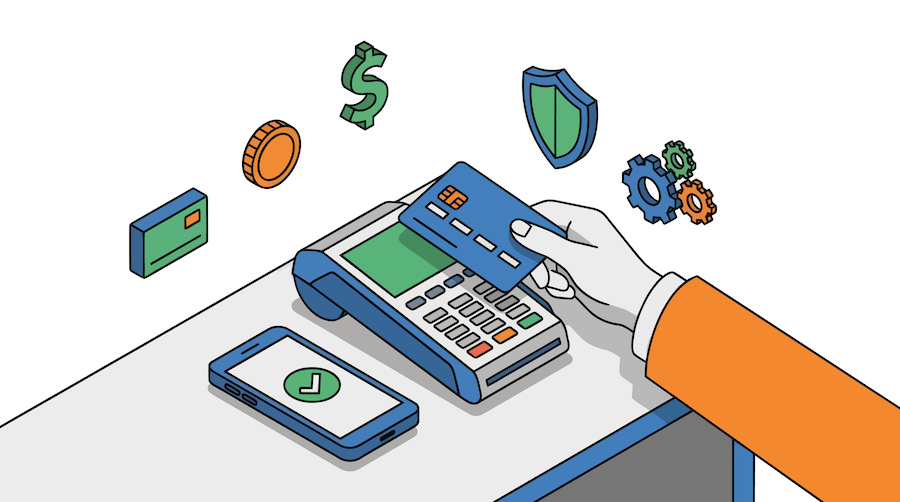
In-person acceptance covers retail counters, restaurants, service calls, markets, and events. The customer dips a chip card, taps a card or phone, or in a few cases swipes. These card-present transactions carry the lowest processing costs and the lowest fraud risk.
Your hardware options range from simple to full-featured:
- Mobile card readers plug into or pair with a phone or tablet. They are inexpensive and well suited to low-volume, mobile, or seasonal sellers.
- Tap-to-pay on a phone uses the phone itself as the reader, with no extra hardware. Support depends on the provider and device.
- Countertop terminals are standalone devices that do one job reliably: take cards.
- Point of sale systems combine a register, card acceptance, inventory, and reporting. Compare options in our POS system reviews.
Whatever you choose, confirm the device accepts EMV chip cards and contactless payments. Our explainers on EMV chip technology and NFC payments cover why both matter.
Online
Online acceptance requires a payment gateway, the software that securely captures card details and sends them to the processor. You do not have to build this yourself. The common approaches are:
- Hosted checkout or payment pages. The customer enters card details on the provider’s secure page. This keeps sensitive data off your servers and simplifies security compliance.
- Shopping cart integrations. Platforms such as WooCommerce and Shopify connect to a range of processors through built-in or plug-in gateways.
- Payment links and invoices. You send a link by email or text and the customer pays on any device. This is the fastest way for service businesses and freelancers to start taking cards online.
- Custom API integrations. These suit software businesses and marketplaces with specific requirements and developer resources.
Online sales are card-not-present transactions, which carry higher interchange rates and more fraud exposure than in-person sales. Enable address verification (AVS) and card security code (CVV) checks at a minimum.
By Phone or Keyed Entry
Businesses that take orders by phone or mail can key card numbers into a virtual terminal, a web-based screen provided by the processor or gateway. These are also card-not-present transactions. Collect the billing address and security code every time, and avoid writing card numbers on paper or storing them in spreadsheets or email.
Choosing a Setup: Payment Aggregator or Merchant Account
The most consequential decision is the type of account, because it affects cost, stability, and how much control you have.
Payment aggregators such as Square, Stripe, and PayPal let you sign up in minutes. You process under the provider’s master account, usually at a flat rate per transaction. This is the fastest way to start and a reasonable fit for new businesses, low volume, and small average tickets. The tradeoff is that the provider can hold funds or close an account with limited notice and limited recourse.
Dedicated merchant accounts are opened in your business’s name through an acquiring bank, typically with fuller underwriting. Approval takes longer, but pricing is usually interchange-plus, which separates the wholesale cost of each transaction from the provider’s markup. Established businesses with steady volume and a mix of card types often pay less this way and get more account stability. Our post on interchange-plus versus tiered pricing explains the difference.
If your business sells in an industry that mainstream processors restrict, such as supplements, firearms, travel, or adult products, a standard account may not be available at all. Read What Is a High Risk Merchant Account? before you apply, since an application that is approved and later terminated can be worse than a clear decline.
How to Start Accepting Credit Card Payments, Step by Step
- Map how you sell. List where payments happen: counter, field, website, phone, recurring billing. This determines the hardware and gateway you need.
- Estimate your volume and average ticket. Monthly card volume and typical sale size decide whether flat-rate or interchange-plus pricing is cheaper for you.
- Compare providers on total cost. Ask for the full fee schedule in writing, including monthly fees, PCI fees, batch fees, chargeback fees, and early termination fees. Start with our credit card processing reviews and comparisons.
- Read the contract. Look for contract length, auto-renewal terms, rate-change clauses, and equipment leases. Month-to-month terms with no early termination fee give you the most flexibility.
- Apply and get approved. Aggregators often approve instantly. Merchant accounts can take a few days.
- Set up hardware or your online checkout. Install the reader or terminal, or connect the gateway to your site. Set a clear billing descriptor so customers recognize the charge on their statements.
- Run test transactions. Process small live sales or use the provider’s test mode, then confirm the deposit lands in your bank account on schedule.
- Put your policies in writing. Publish refund, cancellation, and delivery terms where customers can see them, on receipts and on your website.
What It Costs to Accept Credit Cards
Every card transaction carries interchange (paid to the card-issuing bank), a small network assessment, and your processor’s markup. How those pieces are presented depends on the pricing model.
- Flat-rate providers typically charge a single percentage, often somewhere in the mid-2% to high-2% range, plus a small per-transaction fee. It is simple and predictable, and it is often the most expensive option at higher volumes.
- Interchange-plus providers pass through the actual wholesale cost of each transaction and add a stated markup. This is the most transparent model.
- Tiered pricing sorts transactions into qualified, mid-qualified, and non-qualified buckets at the processor’s discretion. It is the hardest to audit and usually the one to avoid.
On top of per-transaction costs, expect some combination of monthly account or gateway fees, a PCI compliance fee, statement and batch fees, and charges for chargebacks. Rates and fee structures change, so verify current pricing directly with each provider. Our guides to interchange and PCI compliance fees break down the line items you will see on a statement.
The number that matters for comparison is your effective rate: total fees paid divided by total card volume processed. Calculate it from your first few statements and revisit it every year.
Security and Compliance Basics
Anyone who accepts cards must follow the Payment Card Industry Data Security Standard (PCI DSS). For most small businesses, that means completing an annual self-assessment questionnaire and, depending on how you take payments, passing periodic network scans. The simplest way to reduce your burden is to keep card data away from your own systems: use a hosted checkout page, a tokenization feature, or a certified terminal that encrypts card data at the point of capture.
A few habits cover most of the practical risk:
- Never store full card numbers or security codes in spreadsheets, email, notes, or paper files.
- Keep terminals, tablets, and point of sale software updated.
- Limit who on your team can issue refunds or access the processing dashboard.
- Use chip and contactless acceptance rather than keying in cards when the card is in front of you.
Chargebacks and Refunds
A chargeback happens when a cardholder disputes a charge with their bank instead of contacting you. You lose the sale amount and pay a fee whether or not the dispute is your fault, and a rising dispute rate can lead to higher costs, reserves, or account termination. The best defenses are boring ones: a recognizable billing descriptor, clear refund and cancellation terms, fast responses to customer complaints, and documentation of delivery for larger orders. Our guide to how chargebacks work covers the dispute process and how to respond.
When a customer asks for a refund, issue it promptly. A refund costs less than a chargeback and does not count against your dispute ratio the way a formal dispute does.
Passing Card Fees to Customers
Some merchants add a surcharge to card payments or offer a cash discount to offset processing costs. These are different practices with different rules. Surcharging is restricted or regulated in some states, card network rules cap the amount and require advance notice and disclosure, and debit cards are generally excluded. Confirm what is allowed in your state and under your processor’s agreement before adding any fee at checkout, and make sure your signage, receipts, and website disclose it clearly.
Common Mistakes to Avoid
- Choosing on the advertised rate alone. Compare effective cost, not the headline percentage.
- Leasing a terminal. Equipment leases usually run for years, cannot be canceled, and often cost several times the price of buying the device.
- Skipping the auto-renewal clause. Missing a cancellation window can lock you into another full term.
- Using an aggregator in a restricted industry. Accounts can be frozen or closed with funds held.
- Ignoring PCI requirements. Non-compliance fees add up, and a breach is far more expensive for a merchant who was not compliant.
- Having no refund or dispute process. Disputes you do not answer are lost by default.
Frequently Asked Questions
How long does it take to start accepting credit cards?
With a payment aggregator, often the same day. A dedicated merchant account typically takes several days to a couple of weeks, depending on underwriting and the documents you provide. Businesses in regulated or higher-risk industries should expect a longer process.
Can I accept credit cards without a merchant account?
Yes, by using a payment aggregator, which processes your sales under its own master merchant account. You still get paid by card; you just do not hold a dedicated account in your own name.
What is the cheapest way to accept credit card payments?
It depends on volume and ticket size. Flat-rate providers tend to work well for low volume and small tickets, while interchange-plus pricing is usually cheaper once a business processes meaningful volume with a mix of card types. Compare your effective rate under each model using your own numbers.
When do I get my money after a card sale?
Standard settlement is one to two business days after the transaction batch closes. Some providers offer faster funding, sometimes for a fee, and new accounts may face longer holds at first.
Do I need a website to accept credit cards?
No. You can take cards in person with a reader or terminal, by phone with a virtual terminal, or remotely with payment links and invoices, all without an online store.
The right setup is the one that matches how you sell, what you process each month, and how much stability you need from the account. Start with your own volume and ticket size, ask every provider for a full written fee schedule, and revisit the decision as the business grows. For more guidance, return to the PaymentProcessing.com home page to compare providers or read the rest of our processing guides.