
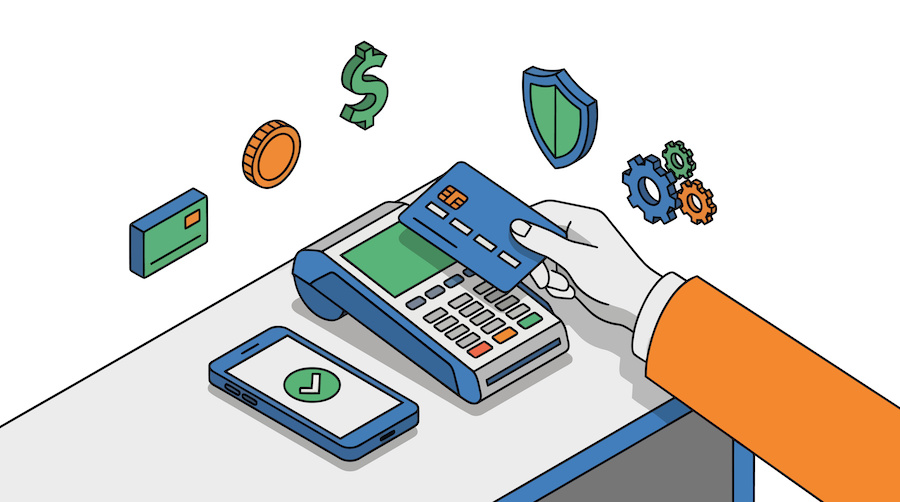
Credit card processing is the infrastructure that moves money from a customer’s card to a merchant’s bank account. Understanding how it works — and what it costs — is one of the most practical things a business owner can do. Processors count on merchants not knowing the details. This guide covers everything: how transactions flow, who gets paid along the way, how pricing models differ, what to watch for in contracts, and how to make a sound decision for your business.
Table of Contents
- How Credit Card Processing Works
- The Players Involved
- Types of Credit Card Transactions
- Payment Processing Fees Explained
- Pricing Models: Flat-Rate vs. Interchange-Plus vs. Tiered
- Merchant Accounts vs. Payment Aggregators
- Payment Gateways
- Point of Sale Systems
- What to Look for in a Contract
- Chargebacks
- PCI Compliance
- How to Choose a Payment Processor
- Common Mistakes Merchants Make
1. How Credit Card Processing Works
Every time a customer swipes, taps, or enters a card number, a chain of events happens in roughly two seconds. That chain involves multiple institutions, two distinct phases, and several layers of approval. Here is what actually happens.
Authorization
When a customer presents a card, the merchant’s terminal or payment gateway captures the card data and sends an authorization request to the acquiring bank (the merchant’s bank). The acquiring bank forwards the request through the card network — Visa, Mastercard, American Express, or Discover — to the issuing bank (the customer’s bank). The issuing bank checks whether the account is valid, whether the card is flagged for fraud, and whether sufficient funds or credit are available. It returns an approval or decline code, which travels back through the same chain to the merchant’s terminal in seconds. The merchant’s account is not funded at this point — only a hold is placed on the customer’s funds.
Settlement
At the end of each business day (or on a batch schedule), the merchant sends all authorized transactions to its acquiring bank for settlement. The acquiring bank submits the batch to the card networks, which route the requests to the relevant issuing banks. The issuing banks transfer funds to the acquiring bank, minus interchange fees. The acquiring bank deposits the net amount into the merchant’s account, typically within one to two business days, minus its own markup.
This two-step process — authorization followed by settlement — is why a customer’s available balance drops immediately but the charge may not fully post for a day or two.
2. The Players Involved
The cardholder is the customer using the credit or debit card to make a purchase.
The merchant is the business accepting the card payment.
The issuing bank is the financial institution that issued the card to the cardholder — Chase, Bank of America, Capital One, and thousands of others. The issuing bank assumes the credit risk and is the primary recipient of interchange fees.
The acquiring bank (also called the merchant bank) holds the merchant’s account and receives funds from the card networks on the merchant’s behalf. Many acquiring banks partner with processors rather than handling processing directly.
The payment processor handles the technical transmission of transaction data between the merchant, the card networks, and the banks. Some processors are also acquiring banks; others are independent. The processor is the vendor a merchant typically contracts with directly.
The card network (Visa, Mastercard, American Express, Discover) operates the rails the transaction travels over, sets the interchange rates, enforces operating rules, and collects a small assessment fee on each transaction. American Express historically operated as both network and issuer for its own cards, though this has changed in recent years with Amex cards now widely issued by third-party banks.
The payment gateway is the software layer that securely captures and transmits card data, particularly in card-not-present environments like e-commerce. Some processors bundle gateway services; others require a separate gateway integration.
3. Types of Credit Card Transactions
The circumstances under which a card is used have a direct impact on interchange rates and fraud risk.
Card-present transactions occur when the physical card and the cardholder are both present at the point of sale — a traditional retail swipe, dip (chip), or tap (NFC/contactless). These carry the lowest interchange rates because the authentication is strongest and fraud risk is lowest.
Card-not-present (CNP) transactions occur when the card is used without the physical card being present — e-commerce purchases, phone orders, and manually keyed entries. CNP transactions carry higher interchange rates because fraud risk is significantly elevated. There is no way to verify the physical card or the cardholder in person.
Card-on-file transactions occur when a merchant stores a customer’s card credentials and charges them at a later date — subscriptions, repeat purchases, installment plans. These are technically card-not-present and are subject to specific card network rules about how stored credentials must be managed and disclosed.
Contactless transactions via NFC (near-field communication) — Apple Pay, Google Pay, tap-to-pay cards — are treated as card-present transactions since the physical device or card is used at the terminal. They carry the same rate category as a standard swipe or dip.
4. Payment Processing Fees Explained
Processing fees are not a single charge — they are a stack of costs from multiple parties layered on every transaction. Understanding each layer is essential to evaluating what you actually pay.
Interchange fees
Interchange is the largest component of processing costs and goes entirely to the issuing bank. Visa and Mastercard publish interchange rate tables twice a year (in April and October). Rates vary based on card type, transaction type, merchant category code (MCC), and whether the transaction is card-present or card-not-present. A basic consumer Visa debit card swiped in-person may carry an interchange rate of 0.05% + $0.21. A premium rewards Visa Signature card used online might carry 2.10% + $0.10. There are over 300 distinct interchange categories across the major card networks.
Merchants do not pay interchange directly — they pay it as part of the total rate their processor charges, which includes interchange plus the processor’s markup.
Assessment fees
Assessment fees go to the card networks (Visa, Mastercard, etc.) and are also non-negotiable. They are small — typically 0.13% to 0.15% of transaction volume — but apply to every transaction.
Processor markup
This is the only portion of your processing fees that is actually negotiable. It is what the processor charges on top of interchange and assessments for its services. Depending on the pricing model (discussed next), this markup may appear as an explicit add-on or be bundled invisibly into a flat rate.
Other fees
Beyond per-transaction costs, processors charge various account fees that add up:
- Monthly account fee: A flat recurring fee for maintaining the merchant account, typically $10–$30/month.
- Monthly minimum: If your processing fees don’t reach a set floor (often $25), you pay the difference.
- PCI compliance fee: A fee charged to help cover PCI compliance administration, ranging from $10–$20/month or billed annually.
- Statement fee: A fee for generating your monthly statement, typically $5–$15.
- Batch fee: A small fee ($0.10–$0.30) charged each time you settle a batch of transactions.
- Gateway fee: If a separate gateway is used for e-commerce, expect $10–$30/month plus per-transaction fees.
- Chargeback fee: Typically $15–$25 per chargeback, regardless of outcome.
- Early termination fee (ETF): A penalty for canceling before the contract term ends — can range from $200 to several hundred dollars or be calculated as remaining monthly minimums.
5. Pricing Models
How a processor packages and presents its fees matters as much as the fees themselves. There are three primary pricing structures.
Flat-rate pricing
Flat-rate processors charge a single fixed percentage (and sometimes a per-transaction fee) on every transaction, regardless of card type or transaction method. Square, Stripe, and PayPal popularized this model.
Example: 2.6% + $0.10 per swipe, 2.9% + $0.30 per online transaction.
The appeal is simplicity and predictability. The drawback is cost: flat-rate processors charge the same rate on a cheap debit card as on an expensive rewards card, effectively subsidizing the latter with the former. For businesses processing low volumes or with an average ticket under $10, this can make sense. For businesses doing significant volume with a mix of card types, flat-rate pricing is typically more expensive than interchange-plus.
Interchange-plus pricing
Also called pass-through pricing, interchange-plus separates the wholesale cost (interchange + assessments, passed through at cost) from the processor’s markup, which is a fixed add-on. This is the most transparent pricing model.
Example: Interchange + 0.25% + $0.10 per transaction.
With interchange-plus, you pay the actual interchange rate for each transaction type — a debit card costs less than a premium rewards card. Your monthly statement shows exactly what interchange categories your transactions fell into and what the processor charged on top. This model benefits merchants with higher volumes and a mix of card types because the true cost of each transaction is visible and the processor’s profit is fixed and explicit.
Tiered pricing
Tiered pricing groups all interchange categories into three buckets — qualified, mid-qualified, and non-qualified — each with a different rate. It is the oldest model and the most opaque.
Example: Qualified: 1.79%, Mid-qualified: 2.19%, Non-qualified: 3.29%.
The processor, not the merchant, determines which tier each transaction falls into, and those criteria are rarely disclosed in the contract. In practice, many transactions are downgraded to mid-qualified or non-qualified tiers, where the processor’s margins are highest. Tiered pricing typically costs more than interchange-plus, and the bundled structure makes it nearly impossible to audit or compare. It is the pricing model to avoid.
Subscription / membership pricing
A smaller number of processors charge a flat monthly membership fee in lieu of a markup and pass interchange through at cost. This model works best for merchants with high monthly volume — the savings on per-transaction markup eventually outweigh the membership fee.
6. Merchant Accounts vs. Payment Aggregators
Dedicated merchant accounts
A dedicated merchant account is an account held specifically in the merchant’s name with an acquiring bank. The underwriting process involves a review of the business, its principals, and its processing history. Approval is not instant but the arrangement provides several advantages: funds are deposited under the merchant’s own account, the relationship is direct with the bank, and the merchant has more control and recourse if issues arise.
Traditional processors — Heartland, Worldpay, Fiserv, and many regional ISOs — provide dedicated merchant accounts. These are appropriate for established businesses with consistent processing volume.
Payment aggregators (PayFacs)
Payment aggregators like Square, Stripe, and PayPal operate as a single merchant of record and sub-merchant their customers underneath their own master merchant account. This allows them to onboard merchants instantly without underwriting — a significant operational advantage that enables their self-serve signup models.
The tradeoffs: aggregators can hold funds, freeze accounts, or terminate merchants with minimal notice because the aggregator is the merchant of record, not the business owner. Merchants operating under an aggregator have less control and less recourse if an account issue arises. For early-stage businesses or low-volume merchants, the convenience often outweighs the risk. For established businesses with consistent volume, a dedicated merchant account is generally more stable and often less expensive.
7. Payment Gateways
A payment gateway is the technology that securely captures, encrypts, and transmits card data from a merchant’s website or application to the payment processor. It is the e-commerce equivalent of a physical card terminal.
Well-known gateways include Authorize.Net, NMI, Braintree, and Stripe (which functions as both processor and gateway). Many processors offer their own proprietary gateways, while others integrate with third-party options.
Key considerations when evaluating a gateway:
- Compatibility with your e-commerce platform (WooCommerce, Shopify, Magento, custom builds)
- Tokenization support for storing card data securely without bringing your servers into PCI scope
- Recurring billing capabilities if you run subscriptions
- Fraud screening tools such as AVS (Address Verification Service), CVV matching, and velocity filters
- API quality if your development team needs to build custom integrations
- Cost — gateway fees add to total processing costs
If your processor bundles a gateway, confirm whether it locks you in or whether you can port to a different processor later while keeping the same gateway.
8. Point of Sale Systems
A point of sale system is the combination of hardware and software a merchant uses to accept in-person payments, manage inventory, and run reports. Modern POS systems have evolved far beyond simple card terminals.
Basic card terminals — standalone countertop devices like the Verifone VX520 or Ingenico Desk series — do one thing: process card transactions. They are inexpensive and reliable but offer no inventory management, reporting, or integrations.
Smart terminals — devices like the Clover Flex, PAX A920, or Stripe Terminal — run apps, display customer-facing screens, accept NFC payments, and integrate with back-office software.
Tablet-based POS systems — Square, Toast, Lightspeed, Clover — turn an iPad or Android tablet into a full register with inventory management, employee management, loyalty programs, and reporting dashboards. These are common in retail and restaurants.
Cloud-based POS systems store data remotely and allow merchants to access reports and manage settings from any device. They typically require internet connectivity and charge monthly software fees on top of processing fees.
Important note on POS and processor lock-in: Some POS systems are tightly coupled to a specific processor. Clover hardware, for example, is typically tied to Fiserv/First Data or a Fiserv ISO. If you switch processors, you may not be able to take your hardware with you. Evaluate POS and processing together, not separately.
9. What to Look for in a Contract
Processing contracts can be one of the most consequential documents a merchant signs, and they are rarely merchant-friendly by default. Know what to look for before signing.
Contract length. Many traditional processors require one- to three-year contracts. Month-to-month agreements exist and are preferable if you want flexibility. Read the auto-renewal clause — many contracts renew automatically for another full term if you don’t cancel within a specific notice window (often 30–90 days before expiration).
Early termination fee. The ETF is the penalty for leaving before the contract ends. It may be a flat fee ($250–$500), a calculation based on remaining monthly minimums, or a liquidated damages clause. Know the number before signing, and negotiate to have it removed or capped.
Rate change clauses. Most contracts allow processors to change rates with 30 days’ notice. This clause is nearly universal. What matters is whether you have the right to cancel without an ETF if rates are raised — some contracts include this, many don’t.
Equipment lease agreements. Terminal leasing is one of the most merchant-unfavorable practices in the industry. Lease agreements are typically non-cancelable for three to four years and cost several times more than simply purchasing equipment outright. Buy your equipment; never lease it.
PCI compliance requirements. Understand what your compliance obligations are under the contract and what the processor charges for PCI-related services.
Funding timeline. Confirm when funds will be deposited into your account. Standard is one to two business days. Some processors offer next-day or same-day funding, sometimes for a fee.
Reserve requirements. Some processors — particularly for merchants they consider higher risk — hold a percentage of processing volume in a rolling reserve as a hedge against chargebacks and refunds. If a reserve is required, negotiate the percentage and the conditions for its release.
10. Chargebacks
A chargeback occurs when a cardholder disputes a transaction with their bank rather than contacting the merchant directly. The issuing bank provisionally reverses the charge to the cardholder’s account and initiates a dispute process with the acquiring bank and processor. The merchant has the opportunity to respond with evidence; if the evidence is sufficient, the chargeback is reversed. If not, the merchant loses both the sale amount and the chargeback fee.
Why chargebacks happen:
- Genuine fraud — the card was used without the cardholder’s authorization
- Friendly fraud — the cardholder received the goods or services but disputes the charge anyway
- Merchant error — incorrect amounts charged, duplicate charges, or failure to process a refund
- Non-receipt — the customer claims goods or services were never delivered
- Subscription disputes — cardholder does not recognize or recalls canceling a subscription
Chargeback thresholds. Visa and Mastercard monitor merchants’ chargeback ratios. Visa’s standard threshold is 1% (chargebacks as a percentage of transaction count). Exceeding 1% places a merchant in the Visa Dispute Monitoring Program. Sustained violations can result in fines, mandatory remediation programs, or account termination and placement on the MATCH list, which severely limits future processing options.
How to reduce chargebacks:
- Use clear billing descriptors that customers will recognize on their statements
- Require CVV and AVS verification on card-not-present transactions
- Use 3D Secure authentication for e-commerce
- Respond promptly to refund requests rather than forcing customers to dispute
- Maintain clear cancellation and refund policies
- Document delivery and fulfillment thoroughly for high-ticket transactions
Responding to chargebacks. When you receive a chargeback notification, you have a limited window (typically 7–30 days depending on the card network and your processor) to submit a rebuttal. Compile: the transaction receipt, proof of delivery, signed authorization, correspondence with the customer, and your refund/cancellation policy. A well-documented response that directly addresses the dispute reason code substantially improves reversal rates.
11. PCI Compliance
The Payment Card Industry Data Security Standard (PCI DSS) is a set of security requirements established by the major card networks to protect cardholder data. All merchants that accept credit cards are required to comply, regardless of size or volume.
Merchant levels. Compliance requirements scale based on annual transaction volume:
- Level 1: More than 6 million transactions per year. Requires an annual on-site audit by a Qualified Security Assessor (QSA).
- Level 2: 1–6 million transactions per year.
- Level 3: 20,000–1 million e-commerce transactions per year.
- Level 4: Fewer than 20,000 e-commerce transactions or up to 1 million transactions overall. Most small and mid-sized merchants fall here and can demonstrate compliance through a Self-Assessment Questionnaire (SAQ).
Scope reduction. The simplest way to manage PCI compliance is to minimize how much your systems touch cardholder data in the first place. Hosted payment pages (where the customer enters card data on the processor’s page, not yours), tokenization, and point-to-point encryption (P2PE) certified terminals all reduce or eliminate the scope of your compliance obligations.
What non-compliance costs. Processors can charge non-compliance fees ($10–$40/month is common) if you haven’t completed your SAQ or quarterly vulnerability scans. In the event of a breach, non-compliant merchants face significantly higher fines and liability. Compliance is worth the administrative effort.
12. How to Choose a Payment Processor
There is no universal best processor. The right choice depends on your business type, volume, transaction environment, and risk profile. Here is a practical framework.
Step 1: Define your transaction environment. Are you primarily card-present (retail, restaurant, service), card-not-present (e-commerce), or both? Your transaction environment drives which hardware, gateways, and pricing structures are relevant.
Step 2: Estimate your monthly volume and average ticket. These two numbers determine which pricing model and processor type will be most cost-effective. Low volume with small tickets favors flat-rate. Higher volume with larger or mixed tickets favors interchange-plus.
Step 3: Identify your business risk profile. Most processors serve standard (low-risk) merchants. If your business operates in an industry with elevated chargeback rates, regulatory complexity, or reputational sensitivity — supplements, firearms, travel, adult content, subscription billing — you need a processor that specializes in high-risk merchant accounts. Standard processors will decline your application or terminate your account after onboarding.
Step 4: Evaluate total cost, not just the rate. The rate a processor advertises is not the number that matters. What matters is your effective rate: total fees paid divided by total volume processed. Get a full fee schedule in writing and calculate what you’d actually pay based on your processing profile.
Step 5: Assess contract terms. Month-to-month agreements with no ETF give you the most flexibility. If a processor requires a multi-year contract, understand exactly what you’re committing to and what the exit costs are.
Step 6: Evaluate customer support. Payment processing failures are not hypothetical — terminals go down, transactions get declined, deposits don’t arrive on schedule. Confirm what support channels are available, what the hours are, and whether you’ll be assigned a dedicated representative or routed through a call center.
Step 7: Check integration requirements. If you’re running an e-commerce store, confirm the processor integrates natively with your platform. If you need a POS system, confirm hardware compatibility. Integration friction creates real operational costs.
13. Common Mistakes Merchants Make
Choosing based on the advertised rate alone. Processors compete on headline rates because most merchants don’t read the full fee schedule. The effective rate — total fees divided by total volume — is the only number that matters for comparison purposes.
Signing a long-term equipment lease. Terminal leases are structured to be highly profitable for the processor and costly for the merchant. A terminal that retails for $200–$400 often ends up costing $1,500–$3,000 over a four-year lease. Buy equipment outright.
Not reading the auto-renewal clause. Missing a cancellation window can lock a merchant into another full contract term. Set a calendar reminder 90 days before contract expiration and read the notice requirements carefully.
Not asking about interchange-plus. Many merchants don’t know interchange-plus exists. Processors may default to quoting tiered pricing because it’s more profitable for them. Ask specifically for an interchange-plus quote and compare.
Ignoring the billing descriptor. The billing descriptor is what appears on your customer’s bank statement. A vague or unrecognizable descriptor is one of the most common causes of friendly fraud chargebacks. Keep it clear and consistent with how your business is known to customers.
Not having a chargeback response process. Merchants that don’t respond to chargebacks lose them by default. A simple internal process — who receives the notification, what evidence to pull, where to submit the response — prevents unnecessary losses.
Assuming Stripe or Square is always simpler. Aggregators are fast to set up, but they are not suitable for all businesses. Merchants in certain industries will be terminated. Merchants with high volume will often pay more. Evaluate based on your actual situation, not brand recognition.
PaymentProcessing.com helps merchants research and compare credit card processing providers. Our reviews and guides are editorially independent. We receive advertising revenue from some providers featured on this site — see our Advertising Disclosure for details.